
-
Sale
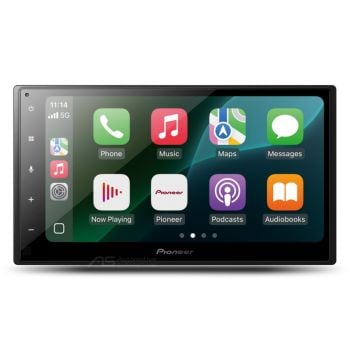 Pioneer DMH-A4550BT 6.8 Inch Apple CarPlay Android Auto Head Unit
 Special Price $395.00 Regular Price $600.00
You Save $205.00 off RRP -
Sale
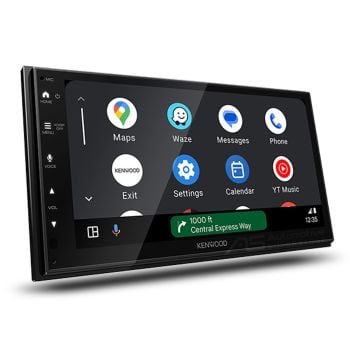 Kenwood DMX5023S 6.8" Apple CarPlay Android Auto Head Unit
 Special Price $350.00 Regular Price $599.00
You Save $249.00 off RRP -
Sale
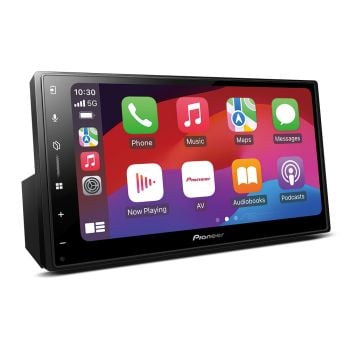 Pioneer DMH-A5650BT 6.8 Capacitive Wireless Apple CarPlay Android Auto Head Unit
Special Price $472.00 Regular Price $750.00
Pioneer DMH-A5650BT 6.8 Capacitive Wireless Apple CarPlay Android Auto Head Unit
Special Price $472.00 Regular Price $750.00
You Save $278.00 off RRP -
Sale
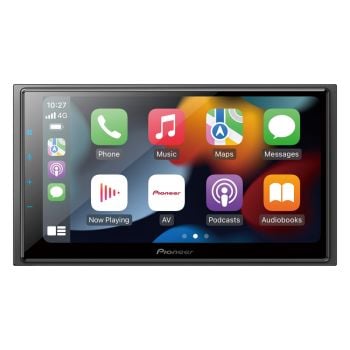 Pioneer DMH-Z6350BT 6.8" Wireless Apple CarPlay Android Auto Head Unit
Special Price $595.00 Regular Price $900.00
Pioneer DMH-Z6350BT 6.8" Wireless Apple CarPlay Android Auto Head Unit
Special Price $595.00 Regular Price $900.00
You Save $305.00 off RRP -
Sale
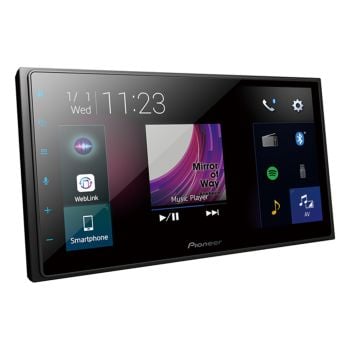 Pioneer DMH-Z5350BT 6.8 Capacitive Apple CarPlay Android Auto Head Unit
Special Price $395.00 Regular Price $700.00
Pioneer DMH-Z5350BT 6.8 Capacitive Apple CarPlay Android Auto Head Unit
Special Price $395.00 Regular Price $700.00
You Save $305.00 off RRP -
Sale
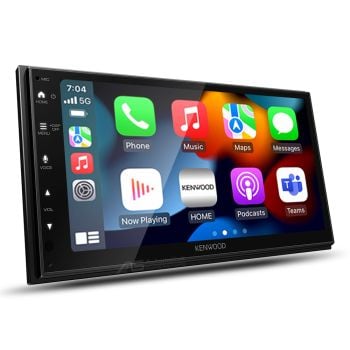 Kenwood DMX6523S 6.8 Inch Wireless Apple CarPlay Android Auto Head Unit
Special Price $460.00 Regular Price $599.00
Kenwood DMX6523S 6.8 Inch Wireless Apple CarPlay Android Auto Head Unit
Special Price $460.00 Regular Price $599.00
You Save $139.00 off RRP -
Sale
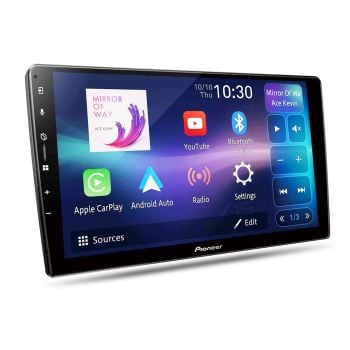 Pioneer DMH-AP6650BT 9-Inch Custom-Fit Wireless Apple CarPlay Android Auto Head Unit
Special Price $638.00 Regular Price $749.00
Pioneer DMH-AP6650BT 9-Inch Custom-Fit Wireless Apple CarPlay Android Auto Head Unit
Special Price $638.00 Regular Price $749.00
You Save $111.00 off RRP -
Sale
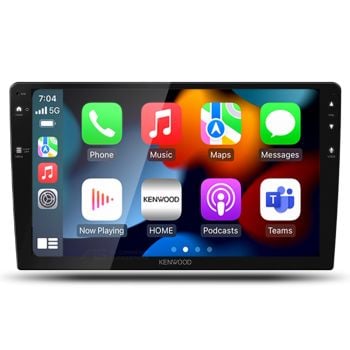 Kenwood DMX80AXS 9 Inch Custom-Fit Wireless Apple CarPlay Android Auto Head Unit
Special Price $613.00 Regular Price $899.00
Kenwood DMX80AXS 9 Inch Custom-Fit Wireless Apple CarPlay Android Auto Head Unit
Special Price $613.00 Regular Price $899.00
You Save $286.00 off RRP -
Sale
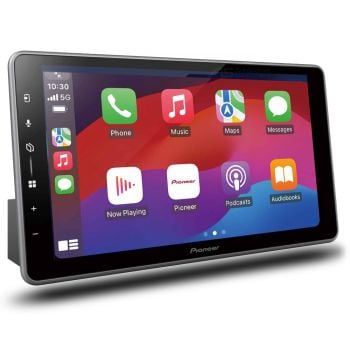 Pioneer DMH-ZF7650BT 9" Wireless Apple Carplay Android Auto iDataLink Ready Head Unit
Special Price $690.00 Regular Price $1,075.00
Pioneer DMH-ZF7650BT 9" Wireless Apple Carplay Android Auto iDataLink Ready Head Unit
Special Price $690.00 Regular Price $1,075.00
You Save $385.00 off RRP -
Sale
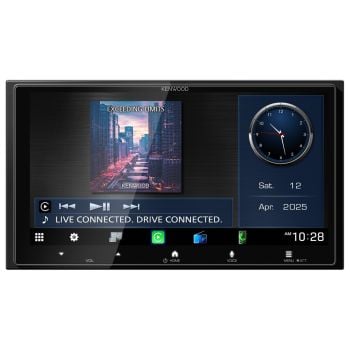 Kenwood DMX7525S 6.9" HD Wireless Android Auto Apple CarPlay iDataLink Ready Head Unit
Special Price $501.00 Regular Price $699.00
Kenwood DMX7525S 6.9" HD Wireless Android Auto Apple CarPlay iDataLink Ready Head Unit
Special Price $501.00 Regular Price $699.00
You Save $198.00 off RRP -
Sale Most Popular
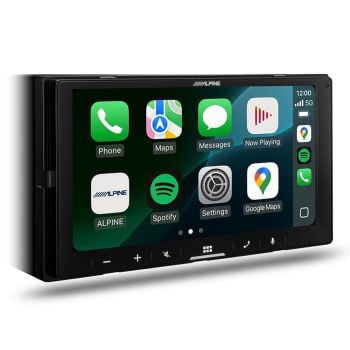 Alpine ILX-W770A 7" Wireless Apple CarPlay Android Auto Head Unit
 Special Price $549.39 Regular Price $799.95
You Save $250.56 off RRP -
Sale
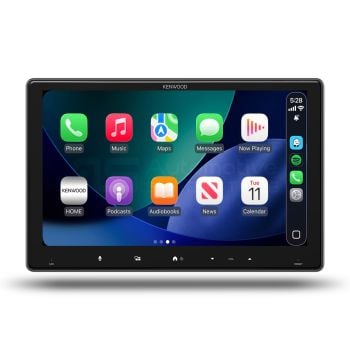 Kenwood DMX7409XDS 9-Inch Apple CarPlay Android Auto Head Unit with DAB+
Special Price $598.00 Regular Price $799.00
Kenwood DMX7409XDS 9-Inch Apple CarPlay Android Auto Head Unit with DAB+
Special Price $598.00 Regular Price $799.00
You Save $201.00 off RRP -
Sale Highly Rated
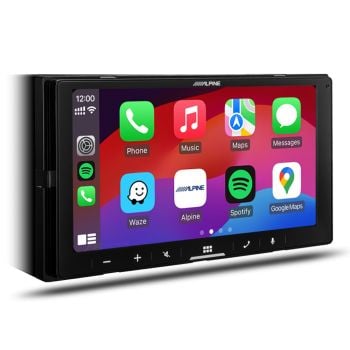 Alpine ILX-W670A 7" Apple CarPlay Android Auto Head Unit
Special Price $419.30 Regular Price $599.95
Alpine ILX-W670A 7" Apple CarPlay Android Auto Head Unit
Special Price $419.30 Regular Price $599.95
You Save $180.65 off RRP -
Sale
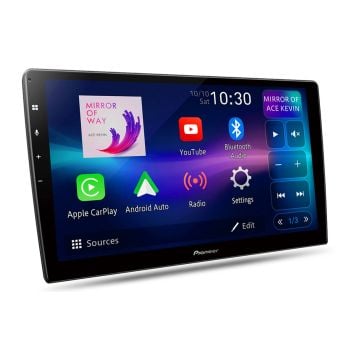 Pioneer DMH-AP6850BT 9-Inch Custom-Fit Wireless Apple CarPlay Android Auto Head Unit
Special Price $576.00 Regular Price $769.00
Pioneer DMH-AP6850BT 9-Inch Custom-Fit Wireless Apple CarPlay Android Auto Head Unit
Special Price $576.00 Regular Price $769.00
You Save $193.00 off RRP -
Sale
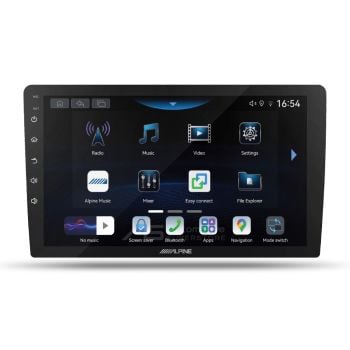 Alpine INE-AW409S 9-Inch Custom-Fit Android Head Unit
Special Price $591.00 Regular Price $699.00
Alpine INE-AW409S 9-Inch Custom-Fit Android Head Unit
Special Price $591.00 Regular Price $699.00
You Save $108.00 off RRP -
Sale
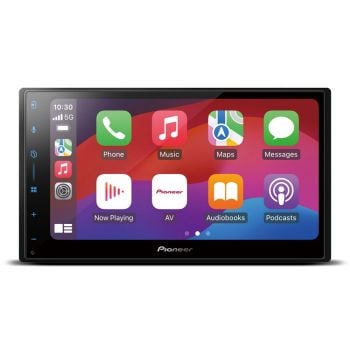 Pioneer SPH-DA77DAB 6.8 Capacitive DAB+ Wireless Apple CarPlay Android Auto Head Unit
Special Price $574.00 Regular Price $849.99
Pioneer SPH-DA77DAB 6.8 Capacitive DAB+ Wireless Apple CarPlay Android Auto Head Unit
Special Price $574.00 Regular Price $849.99
You Save $275.99 off RRP -
Sale
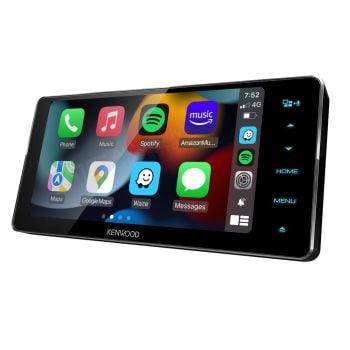 Kenwood DDX920WDABS 6.8 Inch HD Screen Android Auto Wireless CarPlay DAB DVD 200mm Head Unit
Special Price $950.00 Regular Price $1,249.00
Kenwood DDX920WDABS 6.8 Inch HD Screen Android Auto Wireless CarPlay DAB DVD 200mm Head Unit
Special Price $950.00 Regular Price $1,249.00
You Save $299.00 off RRP -
Sale
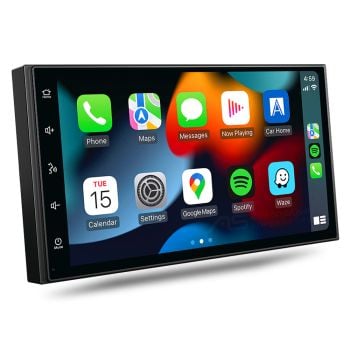 Aerpro AM7X 7-Inch Wireless Apple CarPlay Android Auto Bluetooth Headunit
 Special Price $400.00 Regular Price $499.99
You Save 20% off RRP -
Sale
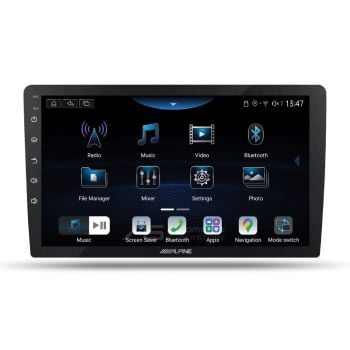 Alpine INE-AX809 9-Inch Premium Custom-Fit Android Head Unit
Special Price $931.00 Regular Price $1,099.00
Alpine INE-AX809 9-Inch Premium Custom-Fit Android Head Unit
Special Price $931.00 Regular Price $1,099.00
You Save $168.00 off RRP -
Sale
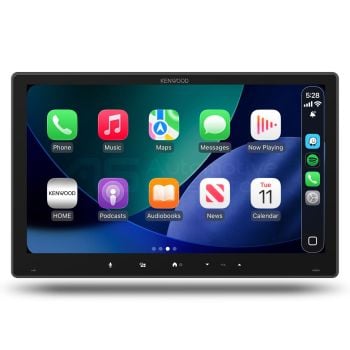 Kenwood DMX7412XDS 11.6-Inch CarPlay Android Auto iDatalink Head Unit with DAB+
Special Price $687.00 Regular Price $999.00
Kenwood DMX7412XDS 11.6-Inch CarPlay Android Auto iDatalink Head Unit with DAB+
Special Price $687.00 Regular Price $999.00
You Save $312.00 off RRP
The Functionality of Apple CarPlay
Apple CarPlay allows you to seamlessly use your phone while driving. It's a completely hands-free setup that enables you to use voice commands. To use it, you'll need a car that's CarPlay compatible. If your car didn't come with this capability pre-installed, you can get an after-market kit.
Once installed, using CarPlay is simple. You'll need a Lightning cable to connect your phone to the USB port in your car.
Certain car models also enable you to use CarPlay wirelessly. This requires you to pair your device to the car in your phone's settings. After everything is setup, using CarPlay in the future will be as simple as starting the vehicle.
The great thing about CarPlay is that it carries over Apple's hands-free functionalities. You'll start by summoning Siri. You can do this by hitting the voice control button on your steering wheel or holding the Home button on the phone.
Once Siri is listening, you can use a range of different commands. To make a phone call, you'd simply say: "Call [Contact's Name]." If you want to text someone, you'll say the contact's name and message in one sentence. For instance: "Text Scott that I'm on my way."
To control the GPS, you could say: "Navigate home." You can also look up destinations by saying: "Find the closest gas station." For music, use this simple phrase: "Play music by [artist's name]." You can also tell Siri to play a specific album or song.
You won't be able to access apps while using CarPlay because you have to stay hands-free. However, certain voice commands do enable you to access other functionalities.
For instance, you can say: "Remind me at 2pm to head to the meeting." This allows you to access the Reminders function of your Apple device. You can access the Alarms function with a command like: "Set an alarm for 10am." You can access the calendar function as well. An example command would be: "Add a date with Heather to my calendar on November 9th at 6pm."
Finally, you can ask questions and Siri will try to find an answer. For instance, you can ask: "When does ALDI open?" and Siri will respond with what it finds on the web. Similarly, you can command: "Call EB Games" and it will look up the store's number online and then call for you.
The Functionality of Android Auto
Google is the brains behind Android Auto. Similar to CarPlay, it functions as a hands-free assistant while you're on the road. With Android Auto, you can continue utilizing many of your phone's features. But, you can do it without taking your hands off the wheel.
Activating the Android Auto assistant is easy. You'll just need to start your command with "OK, Google," and follow-up with whatever you want to know. The potential for voice commands is near limitless, just like with Siri.
If you want to start streaming music, just say: "OK, Google, play [artist or song name]." You can also tap into the endless knowledge of Google by asking it any type of question. For example, just say: "OK, Google, where is the closest restaurant?"
Speech-to-text allows you to send text messages just like Apple CarPlay. As you may have guessed, you can also answer phone calls, make phone calls, and use the GPS functionalities.
How do I get Apple Carplay or Android Auto?
Most head units we offer have both Apple Carplay and Android Auto functionality built-in and will state so clearly in their descriptions. Simply choose the model that suits your specific vehicle’s fitment and has the additional features you require, then add the additional installation kit to install it yourself at home. We have a DIY tutorial on how to install a basic double DIN Apple Carplay or Android Auto head unit on our Automotive Superstore Youtube page.
How do I know which Apple Carplay or Android Auto head unit will fit my vehicle?
Simply add your vehicle’s details to the ‘Add Your Vehicle’ search, then in our menu navigate to the ‘Head Unit Installation Kits’, ‘Car Specific Head Units’ or ‘Car Specific Head Unit Kits’ sections of our website. Here you’ll find a pre-packaged or bundled kit that includes all the additional parts required to complete the installation, as well as the choice of Apple Carplay and Android Auto head units that will suit your specific vehicle.
How Is A Hands-Free Car Kit Useful?
Distracted driving is a leading factor in 22% of crashes and near crashes across Australia. For those behind the wheel of a truck, the risks are even greater. Using a phone while driving increases the risk of an accident by four times. These are extremely alarming statistics. And, they're part of the motivation behind a worldwide shift to hands-free tech.
Around 25% of drivers in Queensland admit to using their hand-held devices on the road. A shocking 14% said they send a text while driving on a daily basis. Regardless of what a driver is doing on their mobile device, they are putting everyone at risk. The driver, the passengers, pedestrians, and other drivers on the road can all get harmed.
While it's no excuse, most individuals would say that hand-held tech has become so engrained in our daily lives that it seems impossible to step away from it. You might feel like that urgent next message from your boss just can't wait. Or, maybe you need to call right away to re-schedule an appointment. It's true that these things may be urgent, but at the end of the day, everyone knows it's not worth the risk.
That's why more and more drivers are opting for hands-free tech. Not only is it the safer way to go, it's the legal way to go. Using a device on the road is illegal in Australia. Even when stopped at a traffic light, you're not allowed to handle your phone.
Of course, abiding by the law is a bit of a challenge. It requires you to have a completely hands-free way of commanding your phone. This applies whether you're using it to make a call, as a way to stream audio, or as a GPS. In all of these situations, having a reliable hands-free setup is a must.
Fortunately, you have two options. If you have an Android device, you can get a plug-and-play bundle that allows you to bring the functionality of Android Auto to your car. If you have an Apple device, you'll need a kit that gives you access to the functionality of Apple CarPlay. Here's a look at each.
What If I Already Have An Infotainment System?
Many vehicles come with an infotainment system pre-installed. However, certain car manufacturers try to force drivers to use their own native systems. That means your car may have a system in place, but it isn't compatible with Apple CarPlay or Android Auto.
Usually, these native systems leave you lacking a lot of features. For instance, you might not be able to use voice commands to send text messages. It also likely lacks a search functionality. These are vital features that every driver wants to enjoy. In these instances, adding a new system that is compatible with your device is very worthwhile. But, how do you go about choosing one?
Can I add wireless connectivity to my existing Apple Carplay or Android Auto head unit or factory integrated source unit?
Yes! We offer USB dongles from Quad Lock and Aerpro that upgrade your wired Apple Carplay or Android Auto connection to a wireless connection, and these work for both aftermarket head units and even the factory fitted Apple Carplay and Android Auto system in newer cars.
The USB dongles simply replace the cable with a wireless connection between the head unit or car’s own USB input and your smartphone. This way, once you get into your car and turn on the ignition, your smartphone will automatically connect without you having to do anything at all. It’s a great upgrade!
Which Apps do I have access to via the head unit?
Not all Apps on your smartphone are accessible in either the Apple Carplay or Android Auto control screens. This is done for safety reasons (omitting video playback Apps like Youtube), or simply because many types of Apps are not suitable to work with an in-dash screen (like games, for instance). This keeps the functionality of the systems free from clutter and safer to use while driving.
The core Apps that are available in Apple Carplay or Android Auto will include communication (phone calls, text messaging), navigation (Google Maps, Apple Maps, Waze), audio-based media playback (your smartphone’s own music, Spotify, TIDAL, Qobuz, Amazon Music HD, Podcasts, Audiobooks, Digital Radio), information like news and weather updates, and even some web browsers.
Is using Apple Carplay or Android Auto legal for P-platers?
For P-Platers, it is important to know the specific laws in your State in regards the legal use of Apple Carplay or Android Auto as they vary from State to State.
New South Wales and the Northern Territory:
Their use is banned outright for P1 and P2, as is even having your phone connected via Bluetooth or even an auxiliary cord.
Victoria:
Use of both systems is allowed, though scrolling or typing on the touchscreen or use of voice commands is banned while driving.
Queensland:
Both are legal to use for P2 license holders and P1 who are over the age of 25, albeit for limited functionality that includes using navigation, skipping songs, and accepting phone calls.
South Australia:
P1 license holders are banned from using either, while P2 license holders can use both if the phone’s screen itself is not looked at.
Australian Capital Territory
Both are largely banned, though P-platers are allowed to begin music playback before setting off on a drive, but cannot interact with either system in any way while driving.
Western Australia:
Both systems are legal to use for all classes of P-plater driver.
Tasmania
Use of either system before setting off on a drive is allowed for both audio playback and navigation, but interaction with either system while driving in any way is banned.
The Top Brands in Australia
Of course, selecting from the wide range of options can be tough. Here's a breakdown of the top car kits on the market today. All of them can bring the functionality of Apple CarPlay or Android Auto to your vehicle. That means you can go from streaming your favorite songs to taking important phone calls - all without pressing a button.
Kenwood is a trusted name around the world. The company started back in 1961. Ever since, they have been offering a wide variety of consumer electronics. Today, they specialize in car entertainment systems.
Like most system manufacturers, Kenwood values flexibility. That's why they make all of their car entertainment systems compatible with both Android Auto and Apple CarPlay
JVC products come with a reputation for quality which is backed up by the company’s history of innovation and development of new products. JVC car stereos and multimedia systems provide deep, powerful sound performance while looking good doing it. Innovations like the receivers that allow older cars to function with the latest in-car systems from Apple and Android show that JVC has not lost its thirst for the clever development of technology or its desire to make its customers’ lives better with its products.
Sony is another name known around the world for electronics. The company has been around since 1946. They got their start in Japan and have since expanded to all major markets.
From DVD players to radios, they too offer a selection of car entertainment systems. Sony's catalog includes more than 30 car audio systems. Most are compatible with both Apple CarPlay and Android Auto.
The Pioneer name is synonymous with audio equipment. And, the company's expertise carries over to their car entertainment systems. Their AppRadio device is compatible with both Android Auto and Apple CarPlay. Plus, it offers a 6.2-inch display for easy access to all your apps before you get on the road.
Alpine Electronics is a true audio engineering company, having originated many of the must have features and functionality we expect in a modern headunit. Alpine's firm commitment to engineering better products is evident in every aspect of the products they provide, from sonic clarity, tuning capabilities, styling and, above all, ergonomics.