
Not sure if it Fits? Click "Parts Checker"
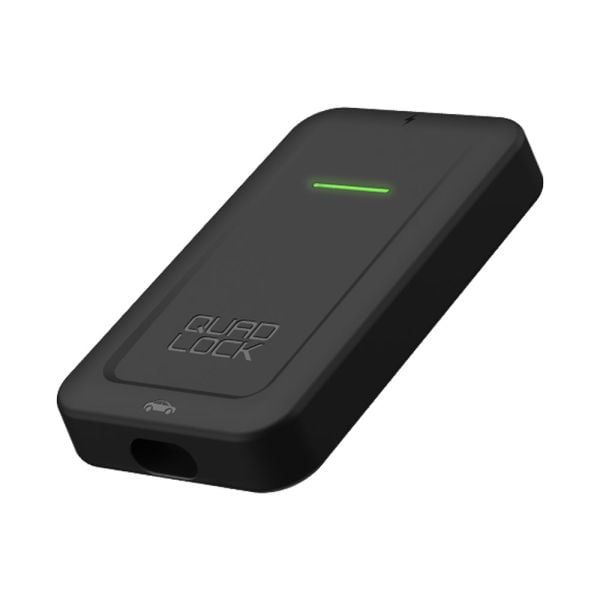
Quad Lock Wireless Apple CarPlay Adapter QLA-CPA
Part No.
QLA-CPA

Special Price
$118.90
Regular Price
$139.99
You Save
15%
off RRP
Buy Now, Pay Later


4 payments of $29.73

Add-ons
-
 M81 GX1500 Car Jump Starter 1500A 12V Portable Power PackSpecial Price $179.00 Regular Price $299.00
You Save $120.00 off RRP -
 M81 GX4000 Car Jump Starter 4000A 12V Portable Power PackSpecial Price $279.00 Regular Price $399.00
You Save $120.00 off RRP -
 Automotive Superstore Mechanics Gloves AS-GLOVESSpecial Price $4.90 Regular Price $4.95
You Save 1% off RRP -
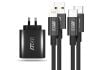 M81 PD65W Charger & Cable Pack USB C-C and A-LightningSpecial Price $45.00 Regular Price $89.00
You Save 49% off RRP -
 M81 USB Type A to Type C 1m Charging Data CableSpecial Price $5.99 Regular Price $19.99
You Save 70% off RRP -
 M81 USB Type A to Lightning 1m Charging Data CableSpecial Price $5.99 Regular Price $19.99
You Save 70% off RRP -
 M81 USB Type C to Type C 60W 1m Charging Data CableSpecial Price $5.99 Regular Price $19.99
You Save 70% off RRP -
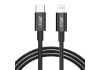 M81 USB Type C to Lightning 27W 1m Charging Data CableSpecial Price $5.99 Regular Price $19.99
You Save 70% off RRP
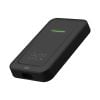
Quad Lock Wireless Apple CarPlay Adapter QLA-CPA
Special Price
$118.90
Regular Price
$139.99
You Save
15%
off RRP
Description
IMPORTANT: Vehicle must already support wired Apple CarPlay.
Connect to Apple CarPlay cord-free with the Quad Lock Wireless CarPlay Adaptor.
EASY TO SET UP
Simply plug the Wireless CarPlay Adaptor into your car’s USB port using the supplied cable, pair your iPhone, and go.
AUTOMATIC CONNECTION
Once paired, your iPhone will automatically connect CarPlay to your vehicle’s infotainment system when you turn your car on.
Play your music, map your route, or safely use phone and text functionality on Apple CarPlay without the need to fumble with cables.
PAIR MULTIPLE IPHONES
Pair multiple iPhones with the Wireless CarPlay Adaptor. The Wireless CarPlay Adaptor will automatically connect to the last paired Phone. This can be easily changed in your iPhone’s Bluetooth settings or selecting Manual Connection in your Apple CarPlay.
Note: Not suitable for Mitsubishi Triton & Pajero Sport models 2019-onwards